Xilun's Gallery....


#44
9685635945_71959385c1_c.jpg


#45
9688079894_7150cd1ba5_c.jpg


#46
9684958961_4158a479e2_c.jpg


#47
9688592740_cc5afd0e4d_c.jpg


#48
9685190687_1c380401a0_c.jpg
 

#56
12269849783_4ac53b33b6_c.jpg


#57
12192322425_8d6c0a9089_c.jpg


#58
12220761806_89e45182ac_c.jpg

If you have any questions about Photoshoot or Photoshop? Ask me. I will answer in this topic
 

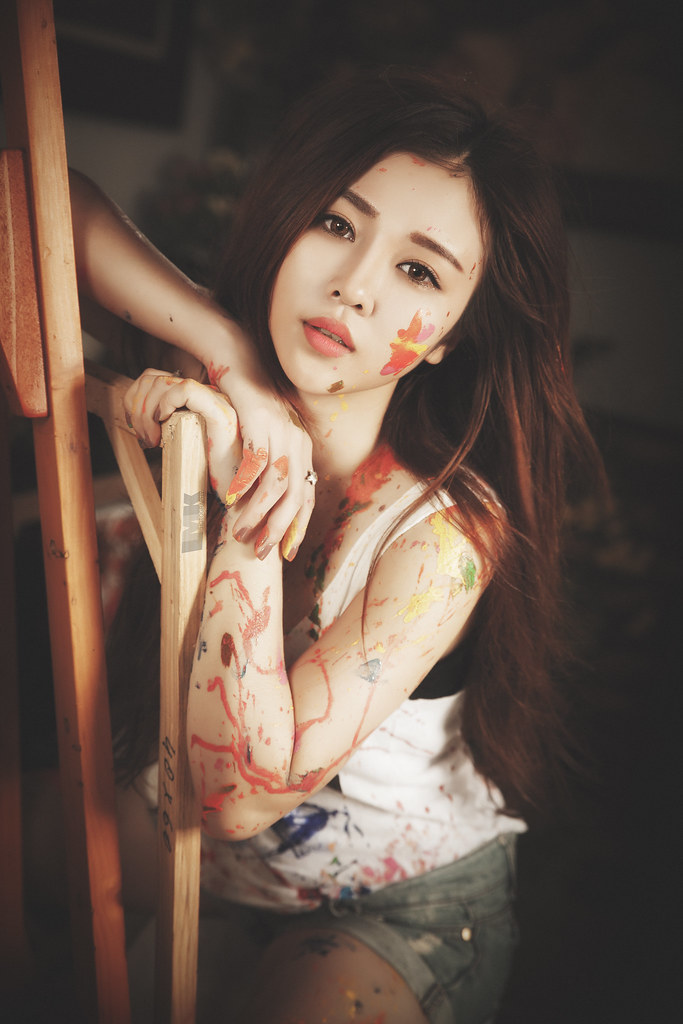
Hi. Great shots. The processing has piqued my interest. How did you process the photos to create such flawless and smooth skin?

Thinks in advance for sharing.
 

At first. I use Patch tool in PTS to erase acne and mistakes of Makeup
Second. I use Mixer Brush to smooth skin.
ps: Tip for Mixer Brush
ALways remember pick colors (alt + mouse click) in that zone. Example you wanna smooth the highlight of forehead. you must pick colors of highlight Forehead to brush , or you wanna smooth the shadow of forehead. you must pick colors of shadow Forehead to brush and WET about 3% - 5%
 

Last edited:
Amazing work.
Really nice pictures.
 

At first. I use Patch tool in PTS to erase acne and mistakes of Makeup Second. I use Mixer Brush to smooth skin. ps: Tip for Mixer Brush ALways remember pick colors (alt + mouse click) in that zone. Example you wanna smooth the highlight of forehead. you must pick colors of highlight Forehead to brush , or you wanna smooth the shadow of forehead. you must pick colors of shadow Forehead to brush and WET about 3% - 5%

Forgot to reply!!
Thanks for sharing!

Great work. An inspiration.

Cheers!
 

Back
Top